Clicks, calls, and quote requests tell you whether marketing is creating activity. Revenue tells you whether that activity is turning into business.
For a window tint shop, revenue tracking means connecting the original marketing source with the lead, following that lead through booking and completion, and recording the value of the finished job. Once those pieces are connected, you can compare Google Ads, organic search, social campaigns, referrals, and other channels using outcomes that are much closer to the financial result.
The goal is not to make every marketing dashboard look identical. It is to build a reliable path from marketing interaction to customer revenue.
Start With the Revenue Journey
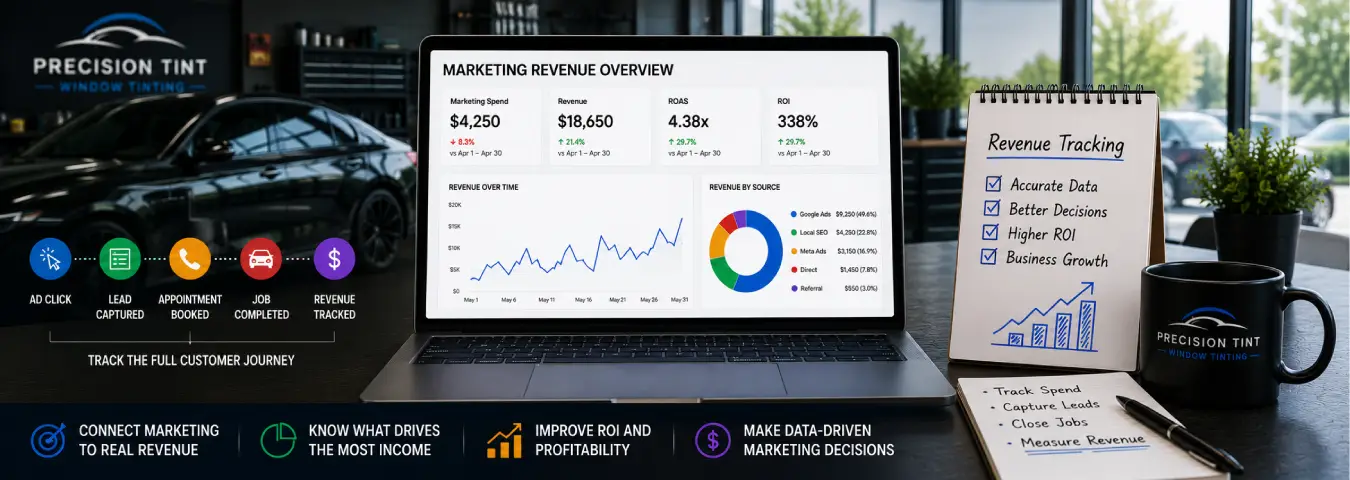
A customer rarely moves directly from an ad click to recorded revenue. A practical window tint measurement funnel may look like this:
- A prospect discovers the business through a marketing channel.
- The prospect visits the website or calls.
- A lead is created through a quote form, call, message, or booking flow.
- The lead is qualified.
- An appointment is booked.
- The tint job is completed.
- The final job value is recorded.
Each stage answers a different question. Traffic shows reach, leads show demand, bookings show sales progress, and completed-job revenue shows the value that ultimately reached the business.
Decide Which Revenue Number You Want to Track
Before connecting systems, define what “revenue” means in your reports. For most shops, the cleanest starting point is the final value of completed customer jobs.
Do not automatically treat a quote amount, scheduled appointment value, deposit, and completed-job revenue as interchangeable. They represent different stages and may change before the work is finished.
| Value | What it represents | Best use |
|---|---|---|
| Estimated quote value | Potential value before the sale | Pipeline analysis |
| Booked value | Value associated with scheduled work | Booking performance |
| Completed-job revenue | Revenue from finished work | Marketing revenue analysis |
| Profit or contribution value | Revenue adjusted for relevant costs | Profitability and ROI analysis |
Use consistent definitions so a “revenue” report does not mix completed jobs with estimates and unfulfilled appointments.
Capture the Marketing Source When the Lead Arrives
Revenue attribution becomes difficult if the original marketing information disappears when a lead enters your CRM or booking system.
Depending on your setup, useful source information can include source, medium, campaign, landing page, lead type, and advertising identifiers such as a Google click ID when available. The exact fields should match the systems you use and the attribution questions you need to answer.
The important principle is continuity: when the lead moves from the website into the CRM, preserve enough acquisition information to connect a later booking or sale with its earlier marketing interaction.
Track Website Leads as Important Events
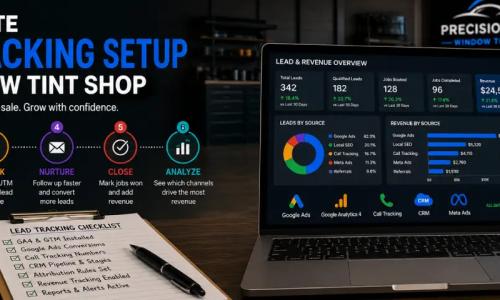
Google Analytics 4 lets you mark events that are particularly important to the business as key events. For a tint shop, a successfully submitted quote request or a confirmed online booking can be treated as an important event when the implementation accurately represents that outcome.
GA4's Advertising reports can then help analyze the channels and touchpoints associated with key events. Attribution reports can show customer paths and compare how credit changes under different attribution models.
These reports are useful for understanding the marketing journey, but a website lead event is still not the same as completed revenue. You need the CRM or another business system to provide the later sales outcome when the transaction happens offline.
Use Your CRM as the Revenue Record
For many window tint businesses, the CRM is the most practical place to connect a lead with its later status and financial outcome.
A useful lead record can progress through stages such as:
- new lead;
- contacted;
- qualified;
- quote provided;
- appointment booked;
- job completed; and
- lost or not qualified.
When the job is completed, record the final value consistently. This lets you group completed revenue by the source and campaign information stored with the lead.
If your CRM and point-of-sale or invoicing system are separate, you may need an integration or reporting process that connects the customer or job record across those systems.
Assign Conversion Values in Google Ads
Google Ads supports conversion values so advertisers can measure the business value of conversions rather than only counting how many conversions occurred. Google explains that conversion values can be used to evaluate ROI and support value-based bidding strategies.
For a tint business, values can be useful when different outcomes have materially different business value. A completed high-value job should not necessarily be treated as identical to an early-stage inquiry.
If the actual revenue is available at the moment of an online conversion and your implementation supports dynamic values, that value can be passed with the conversion. If the final sale happens later, the downstream CRM outcome may be a better source for the actual value.
Send Offline Revenue Outcomes Back to Google Ads
A common tint-shop journey begins online but finishes offline: someone clicks an ad, submits a quote request, talks with your team, books an appointment, and pays after the work is completed.
Google's enhanced conversions for leads is designed to improve measurement of online leads that later convert offline. It can use first-party lead information, such as permitted customer data that is hashed for matching, together with other available identifiers to connect later CRM outcomes with earlier ad interactions.
Google currently recommends enhanced conversions for leads with Google Ads Data Manager over legacy offline conversion import workflows. In 2026, Google unified enhanced conversions for web and leads under one account-level setting, and current upload workflows have moved toward Data Manager infrastructure.
This means older tutorials for offline conversion uploads may no longer reflect the preferred implementation. Use current Google documentation when designing or updating the connection.
Import the Outcome That Helps You Make Better Decisions
You do not have to send every CRM status back to the advertising platform. Choose outcomes that represent meaningful progress.
For example, a measurement design might keep the original website lead conversion while also importing a later qualified lead or completed sale with a value. This gives you visibility into both lead generation and downstream quality.
Be careful not to create confusing duplicate goals that all represent the same business outcome. Document what each conversion action means, when it occurs, and whether it should influence campaign optimization.
Track Phone Revenue Separately From Phone Clicks
Phone calls are an important lead path for many local service businesses. A click on a tel: link can show call intent, but it does not tell you whether the caller booked or what the completed job was worth.
When phone attribution matters, use a call-tracking process that can connect the call with the lead record and preserve the relevant source information. Your team can then update the CRM when the caller becomes a booking and record revenue after the job is completed.
This turns “phone calls from marketing” into a measurable revenue channel rather than a disconnected count of call clicks.
Track Revenue From Online Bookings
If customers can schedule tint appointments online, preserve the marketing source through the booking flow whenever your systems support it. A confirmed booking can be an important conversion, but the scheduled price should not automatically be treated as completed revenue if cancellations, service changes, or no-shows can occur.
Record the final job value after completion and connect it with the original booking record. This gives you both booking attribution and a more reliable revenue outcome.
Understand Attribution Before Comparing Channels
A customer can interact with more than one marketing channel before buying. They may click a paid ad, return through organic search, and later call the shop.
Attribution is the process of assigning credit to touchpoints along that journey. GA4 provides attribution reports that can analyze key-event paths and compare available attribution models. The model you choose can change how channel credit is distributed.
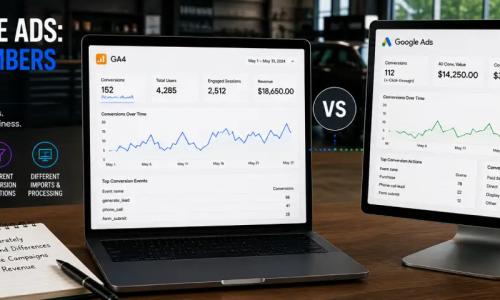
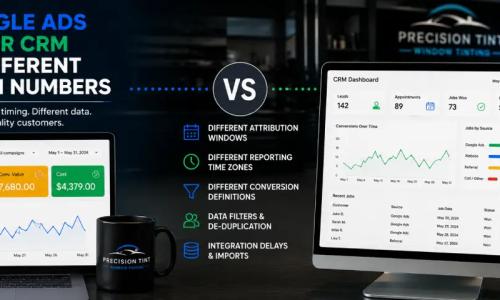
Because of this, “revenue from Google Ads” can mean different things depending on whether you are looking at Google Ads attribution, GA4 attribution, or the source logic stored in your CRM. Define which model each report uses instead of assuming all systems should produce identical channel totals.
Build a Revenue Tracking Table
A practical reporting table can connect marketing spend with downstream outcomes:
| Channel | Spend | Leads | Bookings | Customers | Revenue |
|---|---|---|---|---|---|
| Google Ads | Recorded media cost | Attributed leads | Attributed bookings | Completed customers | Completed-job revenue |
| Organic search | Relevant marketing cost if tracked | Organic leads | Organic bookings | Completed customers | Completed-job revenue |
| Social advertising | Recorded media cost | Attributed leads | Attributed bookings | Completed customers | Completed-job revenue |
| Referral / other | As applicable | Attributed leads | Attributed bookings | Completed customers | Completed-job revenue |
Use actual values from your systems rather than estimated performance numbers. If a field cannot be measured reliably, mark it as unavailable instead of inventing a value.
Calculate ROAS and Marketing ROI
Once you can connect revenue with marketing cost, you can calculate useful financial metrics.
ROAS = Attributable revenue ÷ Ad spend
For example, if a campaign produced $10,000 in completed-job revenue from $2,500 in advertising spend, the illustrative ROAS would be 4.0, or $4 in attributed revenue per $1 of ad spend.
Marketing ROI can go further by accounting for the relevant costs or profit measure your business uses. Do not confuse revenue with profit: film, labor, payment fees, sales costs, and other expenses can affect how much value remains from a job.
Use a consistent financial definition so month-to-month comparisons remain meaningful.
Revenue by Service Can Reveal More Than Total Revenue
Not every tint job has the same value or margin. If your CRM or sales system records service categories, revenue reporting can be segmented by the types of work that matter to the business.
For example, you may compare marketing performance for automotive tint inquiries with other services your shop genuinely offers. The point is not to create more reports for their own sake; it is to understand whether a channel is generating the mix of work your business wants.
Watch for Refunds, Cancellations, and Changed Job Values
Revenue data can change after a booking. Customers can cancel, change services, receive adjustments, or complete a job at a different value from the original estimate.
If your reporting uses booked value, label it as booked value. If you want completed revenue, update the record after the job is finished. For long-term reporting, establish a process for handling material adjustments so marketing performance is not based on stale estimates.
Common Revenue Tracking Mistakes
Calling every lead revenue. A quote request is an opportunity, not a completed sale.
Losing the source in the CRM. If acquisition data disappears when the lead is created, downstream revenue attribution becomes much harder.
Using booking value as completed revenue without qualification. Scheduled work can change or cancel.
Tracking web forms but ignoring phone sales. Revenue reporting should account for the lead paths that actually matter to the shop.
Comparing platforms without understanding attribution. Google Ads, GA4, and your CRM may assign channel credit differently.
Using outdated offline-import instructions. Google's enhanced conversion and Data Manager workflows have changed, so verify the current implementation before building an integration.
Optimizing only for lead volume. A source with fewer leads can still produce more revenue if those leads close at a higher rate or buy higher-value services.
A Practical Revenue Tracking Workflow
- Define the lead, booking, customer, and revenue stages used by your business.
- Track successful website lead and booking events accurately.
- Capture useful source and campaign information when the lead is created.
- Store that information with the lead in the CRM.
- Update the CRM as the lead becomes qualified, booked, completed, or lost.
- Record the final completed-job value.
- Send appropriate downstream outcomes back to advertising platforms when useful and technically supported.
- Report leads, bookings, customers, revenue, ROAS, and ROI using consistent definitions.
This workflow does not require every tool to do everything. Analytics measures behavior, advertising platforms measure and optimize campaigns, and your CRM or business system records what ultimately happened to the lead.
Connect Marketing Activity to Real Customer Value
Revenue tracking gives a window tint business a better question to answer than “Which channel generated the most clicks?” It lets you ask which marketing sources generated customers and how much completed business those customers produced.
Start by preserving the marketing source, connect leads to CRM outcomes, record completed-job value, and use current conversion integrations where they improve attribution. Once those pieces are reliable, you can compare marketing channels using revenue and profitability instead of judging performance by activity alone.
Ready to grow your business?
Book a free strategy call and see what's possible.