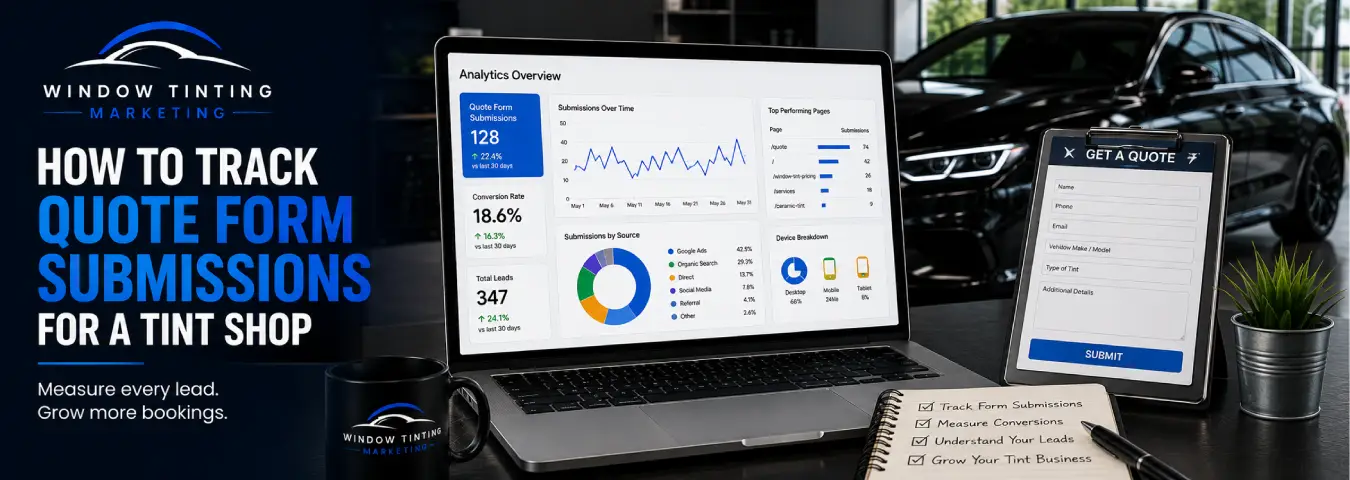
A quote form is one of the most important conversion points on a window tint website. When a potential customer submits vehicle details, contact information, and the service they want, your marketing has moved from website traffic to a measurable lead.
The problem is that many tracking setups count the wrong action. A click on the submit button is not always a successful quote request. Validation can fail, the form can encounter an error, or a visitor can click more than once. Accurate quote form tracking should record the lead only after the website confirms a successful submission.
This guide explains practical ways a tint shop can track quote form submissions with Google Analytics 4 and Google Tag Manager, how to choose the right trigger for different form types, and how to turn the resulting data into more useful marketing decisions.
What Should Count as a Quote Form Conversion?
Start with a clear definition: a quote form conversion should represent a successfully generated lead, not merely an attempt to submit a form.
For a window tint shop, that normally means the website has accepted the request and reached a reliable success state. Depending on how the website is built, that success state might be:
- a dedicated thank-you or confirmation page;
- a successful native form submission;
- an on-page success message after an AJAX submission; or
- a developer-generated event pushed into the Google Tag Manager data layer.
The implementation should follow the actual behavior of the form. There is no single trigger that is automatically correct for every website.
Use GA4's Recommended generate_lead Event
Google Analytics 4 provides a recommended event named generate_lead for situations where a lead is generated, including through a form. Using the recommended event gives your measurement a clearer, standardized meaning than creating an arbitrary event name when the recommended event already fits the action.
For a tint shop, the event should fire when the quote request has been successfully accepted. If you later connect CRM stages to analytics, GA4 also documents lead-generation events for later stages such as qualify_lead and close_convert_lead.
This creates a useful distinction between a new website inquiry and a lead that later becomes qualified or converts into a customer.
Method 1: Track a Thank-You Page
If the quote form redirects visitors to a unique confirmation URL after a successful submission, a thank-you page is often one of the simplest tracking methods.
In Google Tag Manager, you can create a page-view trigger that fires only when the confirmation URL matches the expected pattern. Attach that trigger to a GA4 event tag that sends generate_lead.
Why this approach is useful
The confirmation page appears after the form succeeds, so it is generally a stronger signal than a submit-button click. It is also easy to test with GTM Preview mode and GA4's debugging tools.
What to check
Make sure visitors cannot easily reach the thank-you URL without completing the form. Also check whether refreshing the page can generate duplicate events. If the website architecture makes the confirmation page unreliable, use a more explicit success event instead.
Method 2: Use Google Tag Manager's Form Submission Trigger
Google Tag Manager includes a Form Submission trigger designed to fire when a form is sent. Google's documentation provides options including Wait for Tags and Check Validation. Check Validation can restrict the trigger so it fires only when the form is successfully sent rather than every time a user attempts a submission.
Google also recommends narrowing the trigger to the pages or conditions where the relevant form exists instead of enabling a broad form trigger unnecessarily.
This method can work well for traditional HTML forms, but it should be tested against your actual quote form. Some modern forms override normal browser submission behavior, which means a standard form trigger may not represent the true success state.
Method 3: Track an AJAX or JavaScript Form With a Custom Event
Many modern quote forms submit without loading a new page. In those cases, the visitor may see a success message while the URL remains unchanged.
Google Tag Manager's documentation specifically notes that a Custom Event trigger can be useful when standard form behavior has been altered, such as when the browser's normal submit event is overridden. A robust implementation can have the website push a custom event into the data layer only after the server confirms that the quote was successfully received.
Conceptually, the flow looks like this:
- The customer completes the quote form.
- The website sends the form data to the server.
- The server or application confirms success.
- The website pushes a success event to the data layer.
- GTM detects the custom event.
- A GA4 event tag sends generate_lead.
This approach avoids guessing from button clicks and can be especially useful when you control the website code or have developer support.
Why Submit-Button Click Tracking Is Usually Not Enough
A click trigger can tell you that someone clicked the submit button, but that is not the same as confirming a new lead.
Consider a visitor who leaves the phone field empty. They click “Get Quote,” the form rejects the submission, and the visitor leaves. A button-click conversion would count that person as a lead even though the tint shop received nothing.
Button clicks can still be useful as a diagnostic event—for example, to understand how many people attempt to submit compared with how many succeed—but the successful quote submission should be the primary lead event.
Set Up the GA4 Event in Google Tag Manager
Once you have a reliable success trigger, create a GA4 Event tag in Google Tag Manager and use generate_lead as the event name.
The trigger attached to that tag should represent the successful quote submission method you selected: confirmation page, validated form submission, or custom data-layer event.
Keep the setup easy to audit by using descriptive names such as:
- GA4 Event - Generate Lead - Quote Form
- Trigger - Quote Thank You Page
- Trigger - Quote Form Success
Clear naming makes future troubleshooting much easier than generic names such as “Form Tag 2.”
Add Useful Context Without Sending Personal Information
GA4 events can include parameters that add context to an interaction. For a quote form, non-personal information can help you understand what type of lead was generated, provided the data is appropriate for your analytics implementation and privacy requirements.
Examples might include a general service category, form location, or form type. Avoid sending personally identifiable information such as a customer's name, email address, phone number, street address, or free-text form responses into GA4.
Keep customer contact data in the systems designed to handle leads, such as your CRM or booking platform, rather than using analytics event parameters as a lead database.
Mark the Lead as an Important Business Outcome
After GA4 begins receiving the successful generate_lead event, you can treat that event as an important business outcome in Analytics. Before doing so, verify that the event fires only when the intended quote request succeeds.
This verification matters because the same lead event may later be used in reporting or advertising measurement. A noisy trigger can make campaigns look stronger than they really are.
Track the Source of Quote Leads
The value of form tracking is not simply knowing that a lead happened. You also want to understand what brought that visitor to the website.
GA4 acquisition reporting can help connect website activity with traffic sources such as organic search, paid search, referrals, social traffic, and direct visits. When advertising platforms are integrated appropriately, lead events can also contribute to campaign measurement.
Use consistent campaign tagging where needed and avoid changing tracking conventions casually. Clean acquisition data makes it easier to compare which marketing channels generate quote requests.
Do Not Stop at the Form Submission
A submitted quote form is a new lead, but it is not automatically a qualified prospect, booked appointment, or completed tint job.
A stronger measurement process connects the initial website event with later stages in your CRM or lead-management workflow:
| Stage | What it means | Measurement role |
|---|---|---|
| Quote form submitted | Website successfully received an inquiry | New lead |
| Lead qualified | Prospect meets the shop's criteria | Lead quality |
| Appointment booked | Prospect schedules service | Booking outcome |
| Job completed | Customer receives the service | Revenue/customer outcome |
This prevents a common reporting mistake: treating every form lead as if it produced the same business value.
Test the Tracking Before You Trust It
Google Tag Manager Preview mode should be part of the setup process. Submit the quote form as a test user and confirm that the correct trigger occurs only after a successful submission.
Your test should cover more than the happy path:
- Submit the form successfully and verify one lead event.
- Try submitting with required information missing and verify that no lead event fires.
- Test the form on mobile and desktop where practical.
- Check whether repeated clicks create duplicate events.
- Refresh a thank-you page and check for unintended duplicates.
- Verify the event reaches GA4 using the appropriate debugging or realtime tools.
Repeat these checks after significant form, website, plugin, or tag changes.
Common Quote Form Tracking Mistakes
Tracking the submit-button click as the lead. This can count failed or incomplete submissions.
Using a generic form trigger without testing. Different form technologies behave differently, especially when JavaScript or AJAX is involved.
Firing on every form. A newsletter signup, contact form, careers form, and tint quote request may have very different business meanings. Restrict triggers to the intended form.
Creating duplicate lead events. A thank-you page trigger and a form-success trigger can both fire for the same submission if the implementation is not planned carefully.
Sending customer details to analytics. Analytics should measure the event and appropriate non-personal context, not store form contact information.
Measuring leads but ignoring bookings. Lead volume is useful, but connecting leads to qualification and appointment outcomes gives a tint shop a better view of marketing quality.
A Practical Tracking Plan for a Tint Shop
A clean implementation can be summarized in five steps:
- Define exactly what counts as a successful quote request.
- Choose the most reliable success signal for the form technology.
- Use GTM to send GA4's recommended generate_lead event after success.
- Test failed submissions, successful submissions, and duplicate scenarios.
- Connect the lead to later qualification and booking stages when your CRM workflow supports it.
This approach keeps the analytics focused on actual customer actions rather than superficial clicks.
Track Successful Leads, Not Just Form Activity
For a window tint business, accurate quote form tracking creates the bridge between website traffic and lead generation. The most important principle is simple: measure the successful outcome.
Use a confirmation page, validated form trigger, or explicit data-layer success event depending on how your website works. Send a consistent lead event to GA4, test it carefully, and then evaluate which marketing sources generate not only quote requests but qualified prospects and booked tint jobs.
Ready to grow your business?
Book a free strategy call and see what's possible.