A window tint website can generate several valuable customer actions: quote requests, phone calls, appointment bookings, and visits to high-intent service pages. The challenge is measuring those actions consistently without turning every tracking update into a website-development project.
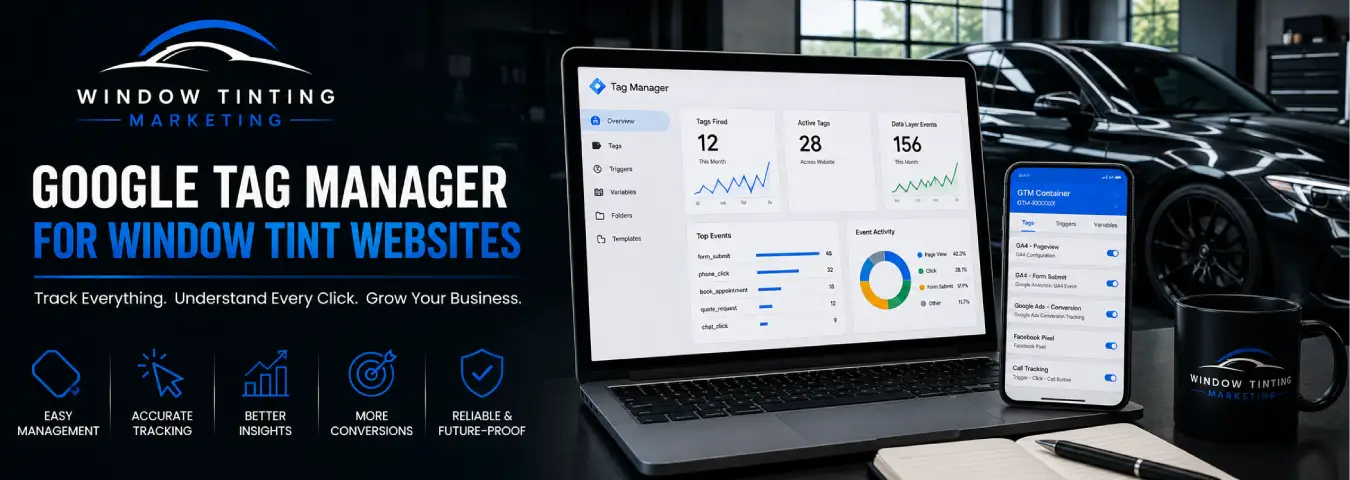
Google Tag Manager (GTM) provides a central system for configuring and deploying many website measurement tags. For a window tint business, that can make it easier to manage GA4, Google Ads conversion tracking, and event measurement while keeping the tracking setup organized.
GTM does not decide what your business should measure, and installing it does not automatically create accurate conversion tracking. You still need a measurement plan, correctly configured tags and triggers, testing, and reliable definitions of what counts as a lead or booking.
What Is Google Tag Manager?
Google Tag Manager is a tag management system that lets you configure and deploy tags from Google products and supported third parties. A web container is installed on the website, after which many tracking configurations can be managed from the Tag Manager interface rather than requiring a new hard-coded website change for every tag.
Google's current setup guidance uses one container for a website rather than a separate container for every page. The web container uses two snippets: the main script belongs high in the page's <head>, while the second snippet is placed immediately after the opening <body> tag.
How GTM Works: Tags, Triggers, and Variables
Three concepts form the foundation of most Google Tag Manager setups.
Tags
A tag sends information to another system or performs a measurement-related task. Examples include the Google tag, GA4 event tags, and Google Ads conversion tags.
Triggers
A trigger determines when a tag should fire. Google describes triggers as listeners for events such as page views, form submissions, and button clicks. Every tag needs at least one trigger.
For example, a window tint website might use one trigger when a quote form is successfully completed and another when a visitor clicks a telephone link.
Variables
Variables provide values that tags and triggers can use. They can help capture context such as a page URL, click information, or values supplied through a structured data layer.
Together, these pieces let you build rules such as: when a successful quote-request event occurs, send a lead event to the appropriate analytics or advertising platform.
What Should a Window Tint Website Track With GTM?
The goal is not to create a tag for every possible interaction. Focus first on actions that help explain whether your marketing is producing genuine customer opportunities.
| Website action | Why track it? | Typical measurement role |
|---|---|---|
| Quote form completed | Represents a direct inquiry | Primary lead event |
| Phone number clicked | Shows intent to call from the website | Supporting lead signal |
| Appointment completed | Shows a scheduled customer action | High-value conversion |
| Booking process started | Helps identify booking funnel drop-off | Supporting event |
| Service page viewed | Shows interest in a tint service | Behavioral context |
| Important CTA clicked | Helps analyze movement toward contact | Supporting event |
A phone-number click should not automatically be described as a completed phone call, and a click on a form's submit button is not necessarily a successful lead. Whenever possible, measure the completed business action rather than the earliest detectable click.
Set Up the Google Tag Through GTM
Once the GTM web container is installed, you can configure a Google tag inside Tag Manager. Google's current instructions recommend using the Initialization - All Pages trigger so the Google tag loads before most other triggers.
The Google tag can connect the site with Google measurement destinations. If you are using GA4, this provides the foundation for Analytics measurement before you add more specific event tracking.
A clean setup usually uses descriptive names. Instead of names such as “Tag 1” and “Trigger New,” use conventions that tell another person exactly what each item does, such as:
- Google Tag - All Pages
- GA4 Event - Generate Lead
- Trigger - Quote Form Success
- Trigger - Phone Link Click
- Google Ads - Booking Conversion
Clear naming becomes increasingly valuable as the container grows.
Track Quote Requests Correctly
Quote forms are usually among the most important actions on a tint website. The strongest implementation fires the lead event only after the website confirms a successful submission.
How you detect that success depends on the website. Possible implementations include a unique confirmation page, a reliable form-success event, or a developer-provided dataLayer event. Modern forms that submit without a page reload may require a different approach from traditional forms.
Avoid assuming that GTM's generic form-submission trigger will correctly measure every form implementation. Test the actual form behavior and choose a trigger that corresponds to genuine success.
Track Phone Number Clicks
For mobile visitors especially, clicking a telephone link can be an important signal. GTM can listen for link clicks and fire an event when the clicked URL uses the tel: scheme.
This can help you compare which pages and traffic sources generate call intent. However, the website click alone does not tell you whether the call connected, how long it lasted, or whether it became a qualified lead. If those outcomes matter, combine website event tracking with a suitable call-tracking system.
Track Online Booking Steps
If your tint shop accepts online appointments, separate the booking journey into meaningful stages. You might measure a booking start as a supporting event and a confirmed appointment as the primary outcome.
Tracking becomes more complicated when the customer leaves your domain for an external scheduling platform. Whether GTM can observe the final booking depends on that platform's implementation and the integration options it provides. Do not count the outbound click as a confirmed booking simply because the visitor opened the scheduler.
Use a Data Layer for More Reliable Business Events
For important events, a structured dataLayer can make GTM implementations more reliable and maintainable. Instead of trying to infer every action from page text or CSS selectors, the website can explicitly push an event when a business action occurs.
For example, after a successful quote request, the application could expose an event that clearly represents lead generation. GTM can then listen for that custom event and route the measurement to GA4 or another destination.
The exact data-layer design should reflect your website and privacy requirements. Avoid sending personally identifiable information to analytics systems that prohibit it.
Connect GTM With GA4
GTM is the management layer; GA4 is one destination where website behavior can be analyzed. After the Google tag is configured, you can create GA4 event tags for the business interactions you want Analytics to receive.
For a window tint business, a practical event structure might include completed lead forms, booking-related events, phone-click intent, and selected engagement events. Keep event names and parameters consistent so reporting remains understandable over time.
Do not make every tracked interaction a primary business outcome. GA4 can collect supporting events while reserving its most important measurement for genuine leads and customer actions.
Use GTM for Google Ads Conversion Tracking
Google Tag Manager can also manage Google Ads conversion tags. This can be useful when you want advertising measurement tied to actions such as completed quote requests or confirmed bookings.
The important part is aligning the Google Ads conversion with the actual business event. If your trigger fires when a visitor merely clicks “Get Quote,” but many visitors never complete the form, Google Ads can receive an inflated view of lead performance.
Before using a conversion for campaign optimization, verify that the trigger represents the outcome you intend to optimize.
Consent and Privacy Need to Be Part of the Setup
Tag deployment should account for the privacy and consent requirements that apply to your business and visitors. GTM includes a Consent Initialization trigger designed for tags that establish or update consent state before other triggers fire.
Your exact consent configuration depends on the jurisdictions you serve, the technologies on your website, and the consent-management platform you use. GTM can participate in the technical implementation, but it does not replace appropriate privacy policies, legal assessment, or consent design.
Always Test Before Publishing
One of GTM's most useful features is Preview mode. Google's Tag Assistant debug interface lets you browse the site using the current container draft and inspect which tags fired, which did not fire, and what triggered them before the changes are published to normal visitors.
Before publishing a window tint tracking update, test the important customer journeys:
- Open the website through GTM Preview mode.
- Visit the relevant service and landing pages.
- Submit a test quote form successfully.
- Click the phone link.
- Test the booking flow where possible.
- Confirm the expected tags fire at the correct moment.
- Check that tags do not fire twice for one action.
- Verify the event in the destination platform where appropriate.
Once the setup behaves as intended, Google recommends publishing the workspace by creating a version. Version names and descriptions also create a clearer record of what changed.
Common GTM Mistakes on Window Tint Websites
Installing duplicate tracking. If the same Google tag or event is hard-coded and also deployed through GTM, you can create duplicate measurement. Audit the existing website before migrating tags.
Publishing without previewing. A configuration can look correct in the GTM interface while failing on the live form or booking flow. Preview and test first.
Using fragile click selectors for critical conversions. Website redesigns can change classes and element structures. For high-value events, use reliable success signals or structured data-layer events where practical.
Tracking intent as completion. A phone click is not necessarily a call, a booking-button click is not a booking, and a form-button click is not always a submitted lead.
Giving everything conversion status. Measure supporting behavior, but keep your business outcomes distinct so your reports remain useful.
Leaving the container undocumented. Use clear names, version descriptions, and a consistent structure so future changes are easier to audit.
A Practical GTM Setup for a Window Tint Business
A straightforward first implementation might include:
- one GTM web container installed correctly across the website;
- a Google tag firing on Initialization - All Pages;
- a reliable event for successful quote requests;
- phone-link click tracking;
- booking-start and confirmed-booking measurement where supported;
- GA4 event tags for useful behavioral and lead events;
- Google Ads conversion tags for selected advertising outcomes;
- consent configuration appropriate to the site's requirements; and
- a documented testing and publishing process.
From there, you can add more advanced measurement only when it answers a real business question.
Make GTM a Measurement System, Not a Tag Collection
Google Tag Manager is most useful when it supports a clear measurement strategy. For a window tint website, that means knowing which marketing channels create interest, which visitors become leads, and which digital actions move prospects toward appointments.
Install the container correctly, define the outcomes that matter, build reliable triggers, keep your naming organized, and test every important change before publishing. A disciplined GTM setup gives your window tint business a cleaner foundation for GA4, Google Ads, call tracking, and future marketing measurement without confusing activity with results.
Ready to grow your business?
Book a free strategy call and see what's possible.