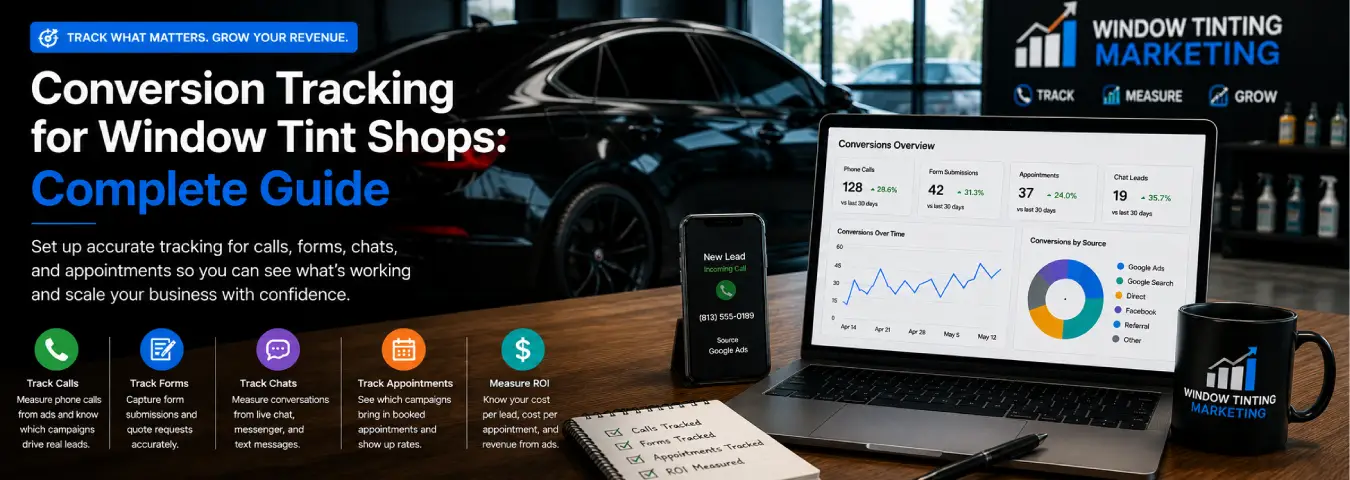
A window tint shop can generate clicks, calls, and website traffic without knowing which marketing actually produces booked jobs. Conversion tracking closes that gap by connecting valuable customer actions—such as qualified calls, quote requests, appointments, and completed sales—to the marketing that influenced them.
The goal is not to measure every possible interaction. It is to build a dependable system around the actions that move a customer from search to scheduled vehicle and, ultimately, revenue. This guide explains what a tint shop should track, how to structure measurement, and how to use conversion data to make better marketing decisions.
What Conversion Tracking Means for a Window Tint Shop
A conversion is an action used to measure advertising performance and optimize bidding. In Google Analytics, an event that measures an action particularly important to a business can be marked as a key event. Google Ads conversions can then be created from appropriate Analytics key events.
For a tint business, meaningful conversions may happen online or offline. A prospect might submit a quote form, call the shop, book an appointment, or later complete a paid job. A useful measurement plan should reflect that real sales process rather than treating a page view as the final outcome.
Why Conversion Tracking Matters
Without conversion tracking, campaign decisions often revolve around impressions, clicks, click-through rates, and sessions. Those metrics can help diagnose marketing activity, but they do not tell you whether campaigns generate qualified opportunities or paying customers.
Reliable tracking helps answer practical questions: Which campaigns generate calls? Which landing pages produce quote requests? Which services attract stronger leads? Which traffic sources generate appointments? Which campaigns ultimately contribute to completed jobs and revenue?
The Most Important Conversions to Track
Qualified phone calls
Calls can represent strong intent for a local service business. If your tracking technology can distinguish a phone-number click from a connected call, use the stronger signal for primary optimization. A tap on a phone link shows intent; it does not prove that a meaningful conversation happened.
Successful quote and contact forms
Measure successful submissions rather than only clicks on the submit button. Validation errors, technical problems, or abandoned forms can otherwise inflate your lead numbers.
Confirmed appointments
If customers can book online, a confirmed appointment is normally a high-value conversion because it is closer to revenue than a general website interaction.
Chat and messaging leads
If your site offers chat, SMS, or another messaging channel, track the point that best represents a genuine inquiry. Opening a chat widget is a weaker signal than sending a message.
Completed jobs and revenue
The strongest business outcome is the sale. If your CRM, booking system, or other workflow can connect leads to completed tint jobs, measure those downstream outcomes. This lets you compare campaigns by customer quality rather than lead quantity alone.
Primary vs. Secondary Conversions
Not every event deserves equal weight. Build a hierarchy based on business value.
| Action | Typical role | Reason |
|---|---|---|
| Confirmed appointment | Primary | Strong buying intent and direct business outcome |
| Qualified phone call | Primary | Often represents a serious service inquiry |
| Successful quote form | Primary | Creates an identifiable lead |
| Completed job | Primary / revenue | Connects marketing with an actual sale |
| Phone-number click | Secondary | Shows intent but not necessarily a connected call |
| Directions click | Secondary | Useful local-intent signal but not a confirmed sale |
| Service-page view | Secondary | Shows interest rather than a lead |
Your exact classification should reflect how customers buy from your shop. Reserve primary status for actions you are comfortable using to judge and optimize marketing performance.
A Practical Measurement Stack
A common setup uses Google Analytics 4 (GA4) for website and cross-channel measurement, Google Ads for advertising conversion reporting and bidding, and Google Tag Manager (GTM) to manage measurement tags. Depending on the business, the stack may also include call tracking, a CRM, an online booking platform, or a point-of-sale workflow.
The objective is not to accumulate tools. It is to maintain consistent conversion definitions and prevent missing or duplicate measurement.
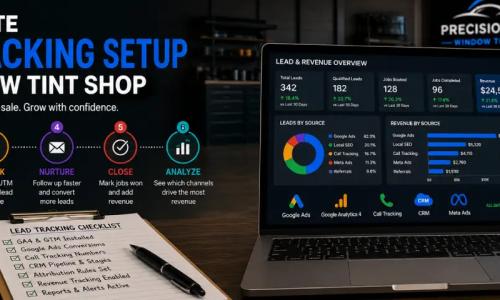
Step 1: Map the Customer Journey
Write down how a typical customer moves from discovery to sale. A simple journey might look like: Google search → service landing page → call or quote request → appointment → completed tint job.
Identify the measurable action at each important stage before installing or changing tags. This makes it easier to separate diagnostic engagement from real lead and revenue outcomes.
Step 2: Create a Measurement Plan
For each conversion, document its name, trigger, platform, business value, and whether it is primary or secondary. Use descriptive names such as Quote Form Submitted, Appointment Confirmed, and Qualified Phone Call.
Also decide where the source of truth will live. If multiple platforms measure the same action, document the relationship so a single lead is not interpreted as multiple independent customers.
Step 3: Configure GA4 Events and Key Events
In Google Analytics, create or identify events for important interactions and mark the events that matter to the business as key events. Google states that any collected event can become a key event when it measures an action important to business success.
Test events before relying on them. Verify that a form event occurs only after a successful submission and that a booking event fires only after confirmation.
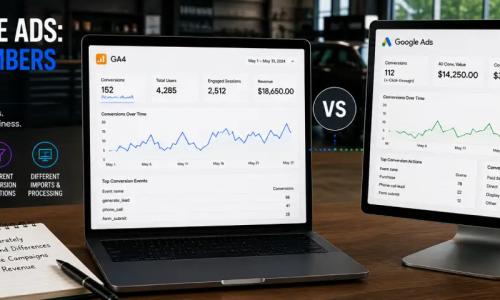
Step 4: Connect GA4 and Google Ads
Linking Google Analytics and Google Ads enables data to flow between the products and allows Google Ads conversions to be created from Analytics key events. Google's current setup guidance requires appropriate account permissions, and its conversion workflow specifies linking the accounts and enabling auto-tagging.
Auto-tagging adds a Google Click Identifier to ad landing-page URLs, helping measurement systems associate website activity with the relevant Google Ads click.
Step 5: Create Google Ads Conversions
Google Ads conversions can be created from appropriate Analytics events and key events. This provides a consistent way to use important customer actions for advertising reporting and Smart Bidding.
Choose the conversion actions deliberately. Do not treat every engagement event as a bidding goal. If a campaign is supposed to generate qualified leads, prioritize actions that represent qualified leads rather than page views or generic button clicks.
Step 6: Track Form Submissions Correctly
A form conversion should fire when the form succeeds, not merely when someone tries to submit it. Prefer a dedicated confirmation page, a reliable success event from the form system, or another state that occurs only after the lead has been accepted.
Then test the complete path. Submit a test lead, verify that the business receives it, and confirm that the conversion event appears once.
Step 7: Track Phone Leads
Phone measurement should ideally distinguish between an intent signal and a meaningful call. If calls are a major source of tint leads, use an appropriate call-measurement setup and define what the business considers a qualified call.
Keep the customer experience first. Tracking should never prevent a visitor from seeing the correct phone number or reaching the shop.
Step 8: Consider Enhanced Conversions
Google's enhanced conversions feature supplements existing conversion measurement by using hashed first-party customer data. Google says enhanced conversions for web and leads have been unified, and since April 2026 Google Ads can accept supported user-provided data from website tags, Data Manager, and API connections.
If you implement enhanced conversions, review consent, privacy, customer-data terms, and applicable legal requirements. Measurement accuracy does not remove the need for responsible data handling.
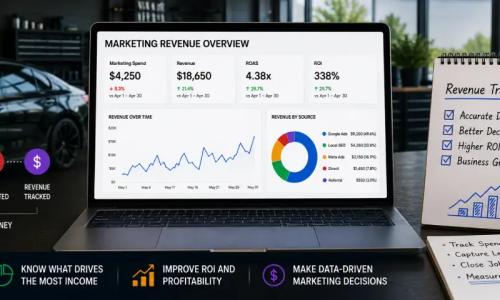
Step 9: Connect Leads to Completed Jobs
Lead tracking becomes more useful when you can identify which inquiries become appointments and paying customers. If your CRM or booking workflow stores lead status, build a process for connecting marketing source information to those downstream outcomes.
Two campaigns can generate the same number of leads but produce very different amounts of revenue. Lead-to-sale measurement exposes that difference.
Tracking Different Window Tint Services
A multi-service shop can capture service context alongside the conversion. Depending on what the business actually sells, this might include automotive window tint, ceramic tint packages, paint protection film, or other services.
Service context helps reveal whether a campaign is attracting the type of demand it was designed to generate. You do not necessarily need a separate primary conversion action for every service variation; event parameters or CRM fields can often provide the detail.
Assigning Conversion Values
Not all leads have equal economic value. If your systems support it, actual revenue from completed jobs provides the strongest value signal. When real transaction revenue is not available, a business can build an internal estimated lead-value model.
Estimated lead value = average completed-job value × lead-to-sale rate.
This is a planning calculation, not an industry benchmark. Use your own historical data and update the assumptions when pricing, service mix, or close rates change.
Testing and Quality Assurance
Never assume tracking works because a tag was installed. Test the complete customer journey.
- Complete each tracked action as a customer would.
- Verify that the event fires at the correct moment.
- Confirm that it fires once rather than multiple times.
- Check that the lead reaches the correct inbox, CRM, booking system, or phone line.
- Confirm that the event reaches the intended analytics or advertising platform.
- Repeat important tests on mobile devices.
Retest after website redesigns, form replacements, booking-platform changes, consent-tool changes, or major tag updates.
Common Conversion Tracking Mistakes
Counting clicks as completed leads
A click is not the same as a successful submission or meaningful call. Measure the deepest reliable action you can verify.
Optimizing for weak actions
If page views, scrolls, and other engagement signals are treated like qualified leads, advertising systems receive a distorted definition of success.
Duplicate conversion tracking
A single submission can accidentally trigger multiple conversion actions. Document your measurement architecture and test for duplication.
Ignoring phone leads
If customers frequently call the shop, form-only reporting leaves a significant gap in the sales journey.
Stopping at the lead
Lead volume matters, but appointments, completed jobs, and revenue provide a stronger view of marketing quality.
Failing to retest after website changes
A new form plugin, redesigned confirmation page, modified phone link, or booking integration can silently break a trigger.
How to Use Conversion Data to Improve Marketing
Once measurement is stable, use the data for business decisions rather than dashboards alone. Compare campaigns by qualified leads and completed outcomes. Review landing pages by conversion performance and lead quality. Examine service categories to see whether ads and SEO are attracting the intended demand.
Avoid overreacting to tiny samples. Local service lead volume can vary, so major budget or campaign decisions should be based on enough reliable data to support the conclusion.
A Simple Measurement Framework
- Marketing activity: impressions, clicks, sessions, and traffic sources.
- Lead outcomes: qualified calls, successful quote requests, messages, and confirmed appointments.
- Business outcomes: completed jobs and revenue.
The closer reporting gets to business outcomes, the more useful it becomes for evaluating marketing performance. Engagement metrics still matter, but they should help explain results rather than replace them.
Conversion Tracking Checklist for Window Tint Shops
- Define the shop's real lead and sales actions.
- Separate primary conversions from secondary engagement.
- Configure GA4 events and key events.
- Link Google Analytics and Google Ads when appropriate.
- Enable and verify auto-tagging for the Analytics-to-Ads workflow.
- Create the appropriate Google Ads conversions.
- Track important phone leads.
- Trigger form conversions only after successful submission.
- Track confirmed bookings where available.
- Evaluate enhanced conversions with appropriate privacy controls.
- Connect leads to completed jobs and revenue when possible.
- Test for missing and duplicate events.
- Retest after major website or tracking changes.
Final Takeaway
Conversion tracking for window tint shops works best when it mirrors the real customer journey. Start with outcomes that matter—qualified calls, successful quote requests, confirmed appointments, completed jobs, and revenue—then use supporting engagement data to understand how customers reach those outcomes.
A clean measurement setup gives you something clicks alone cannot: evidence about which marketing efforts create real opportunities for the shop. Build the tracking plan carefully, test it regularly, and improve it as your booking, CRM, and sales processes become more connected.
Ready to grow your business?
Book a free strategy call and see what's possible.